You read two pages over breakfast and three before bed. A checkbox says you read today. A habit counter keeps the amount: five pages, recorded in two sessions.
This walkthrough uses HabitPress for iPhone to set a small reading target, record those sessions, remove an accidental entry, and understand a week of progress. Five pages is our example; choose an amount that fits your reading.
The video and screenshots use the real app with demonstration data. You can follow the steps with your own habit.
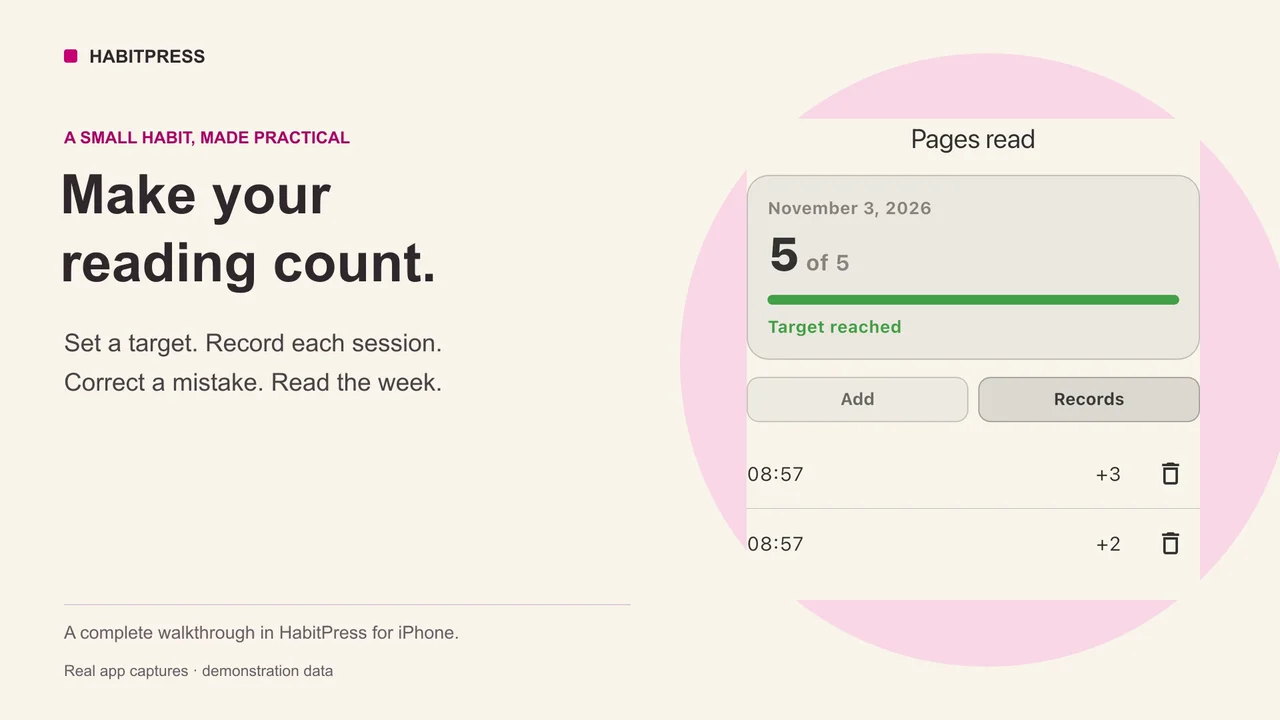
1. Set up a Pages read counter
- Tap Add habit on the main screen.
- Name it Pages read, then tap Continue.
- Choose Counter. This records amounts throughout the day.
- Choose Reach a target, enter 5 as the daily target, and continue.
- Choose a reminder if it would help, or leave it as None. Tap Add.
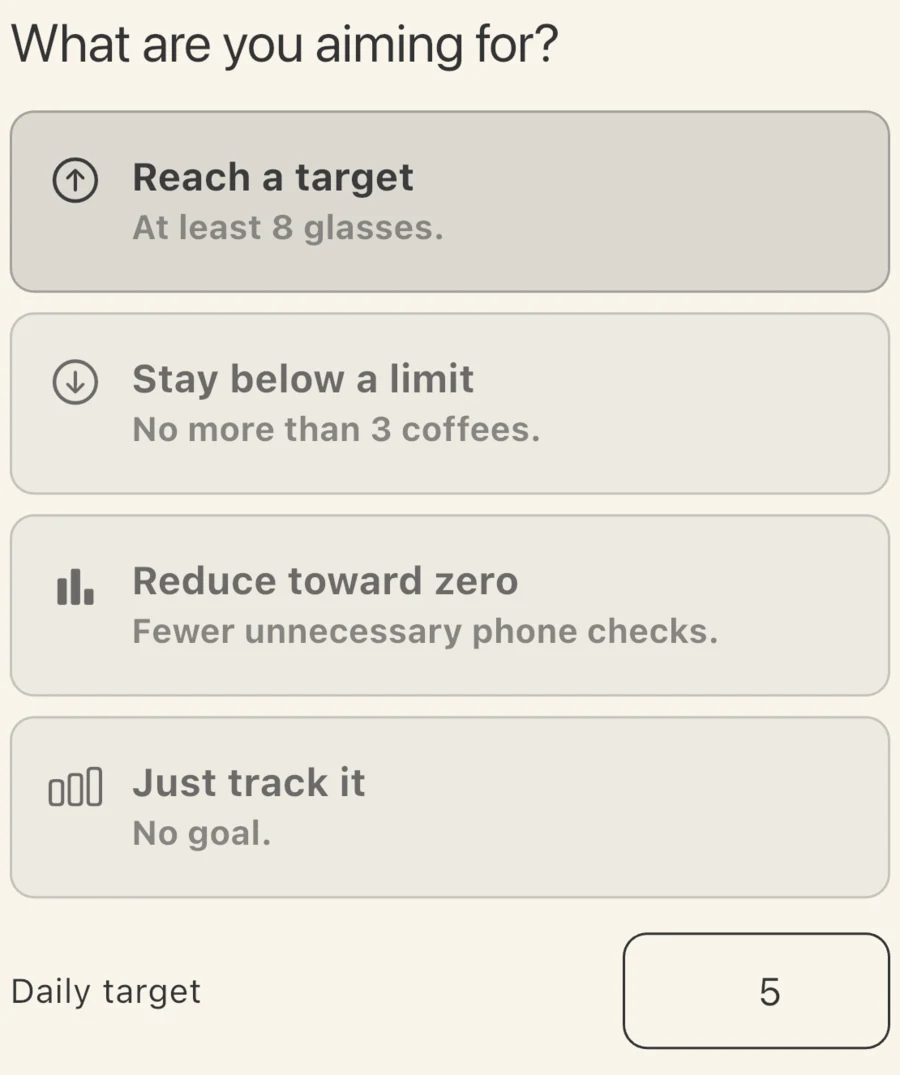
The example under the mode describes how it works. Your habit name and daily target make it a reading counter.
Name the habit after its unit. Pages read makes an entry of 2 easy to interpret. A name such as “Read more” leaves the number ambiguous: pages, minutes, or sessions?
If you only want to know whether you read at all, choose a check-in instead. If you want to observe your reading without a target, choose Just track it. The guide to choosing what to track explains when each measure is useful.
2. Add each session, not the running total
After reading two pages, open Pages read, tap the Today card, and choose the Add tab.
Enter 2 in the amount field. You can also tap +1 twice to prepare an amount of 2. Then tap the Add button at the bottom to save the entry.
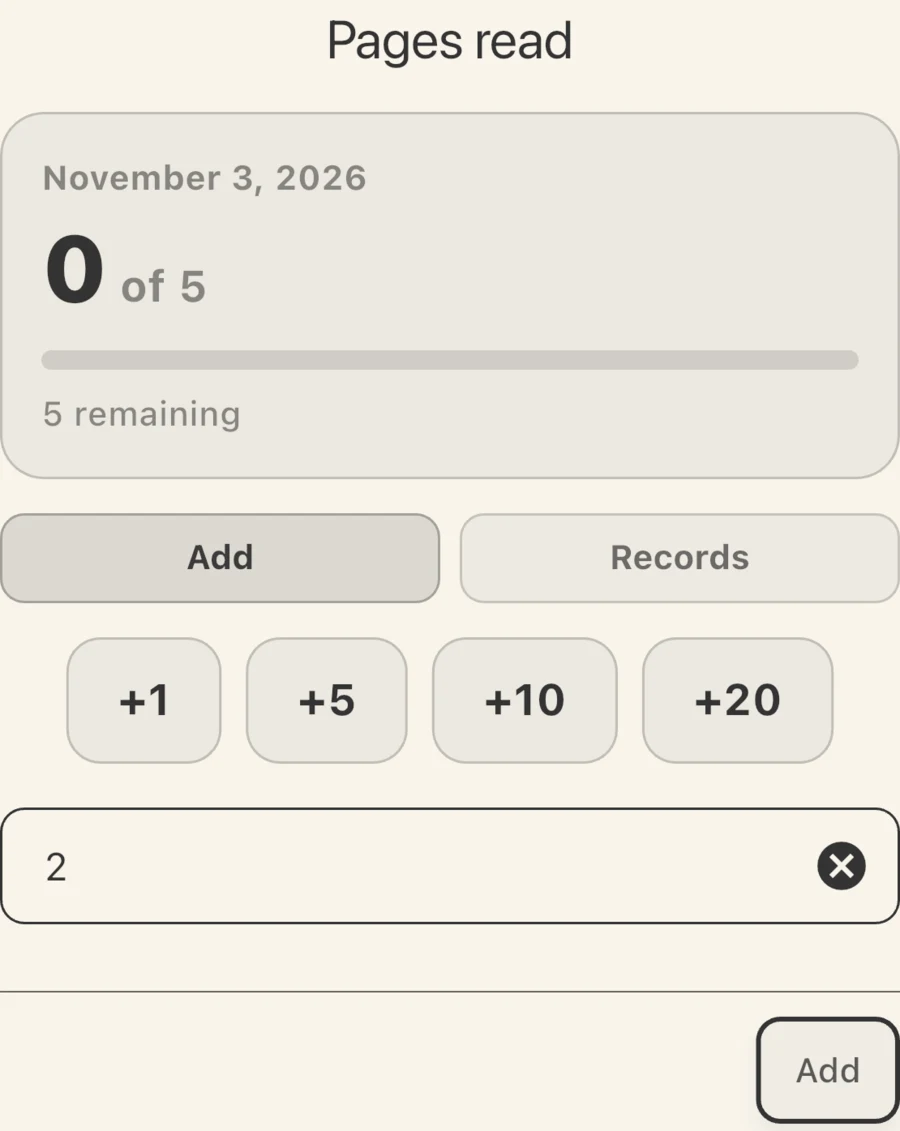
Choosing an amount prepares the entry. The bottom Add button records it.
When you read three more pages, add 3 in the same way. HabitPress combines the entries: 2 + 3 = 5, and the day shows Target reached.
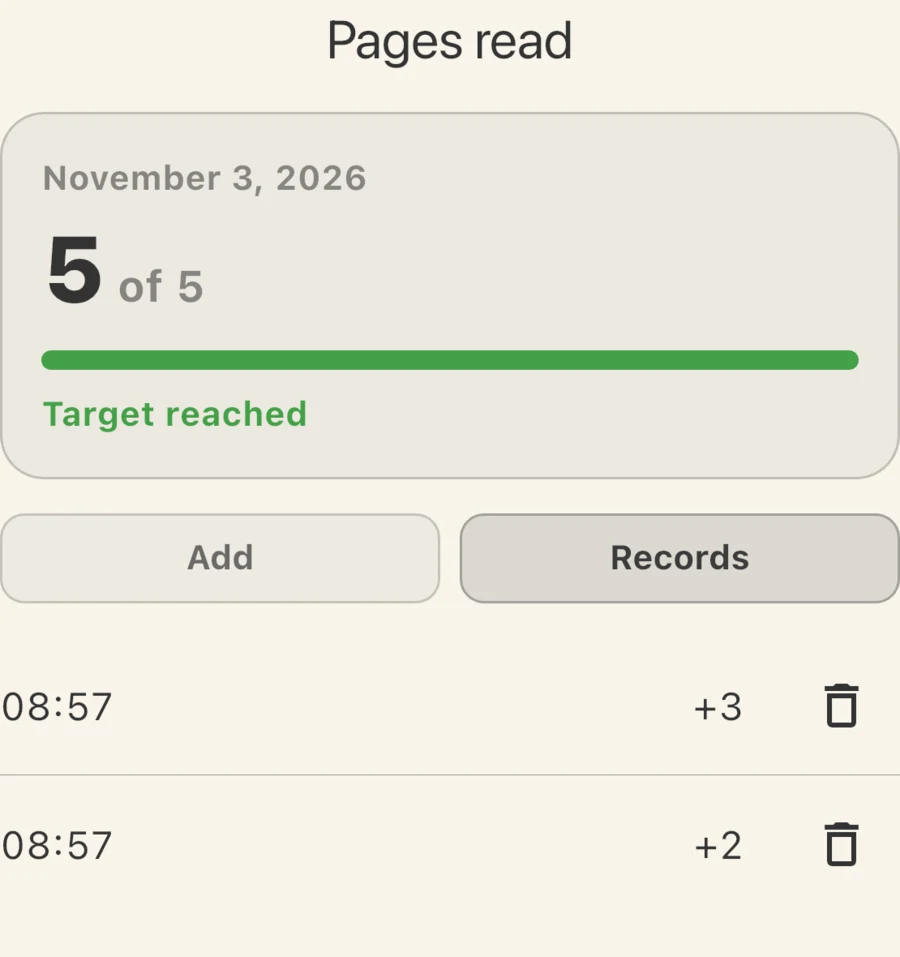
Two entries make one daily total. Records keeps the individual amounts visible.
Do not enter 5 for the second session. That would add another five pages to the two already recorded, giving you seven. Enter the amount from the session you just finished.
You can keep recording after reaching the target. A target is a minimum for the day, not a cap on what you can record.
3. Remove an accidental entry
Suppose you accidentally record one extra page. The total becomes 6 of 5, but the Records tab still shows where that number came from: +1, +3, and +2.
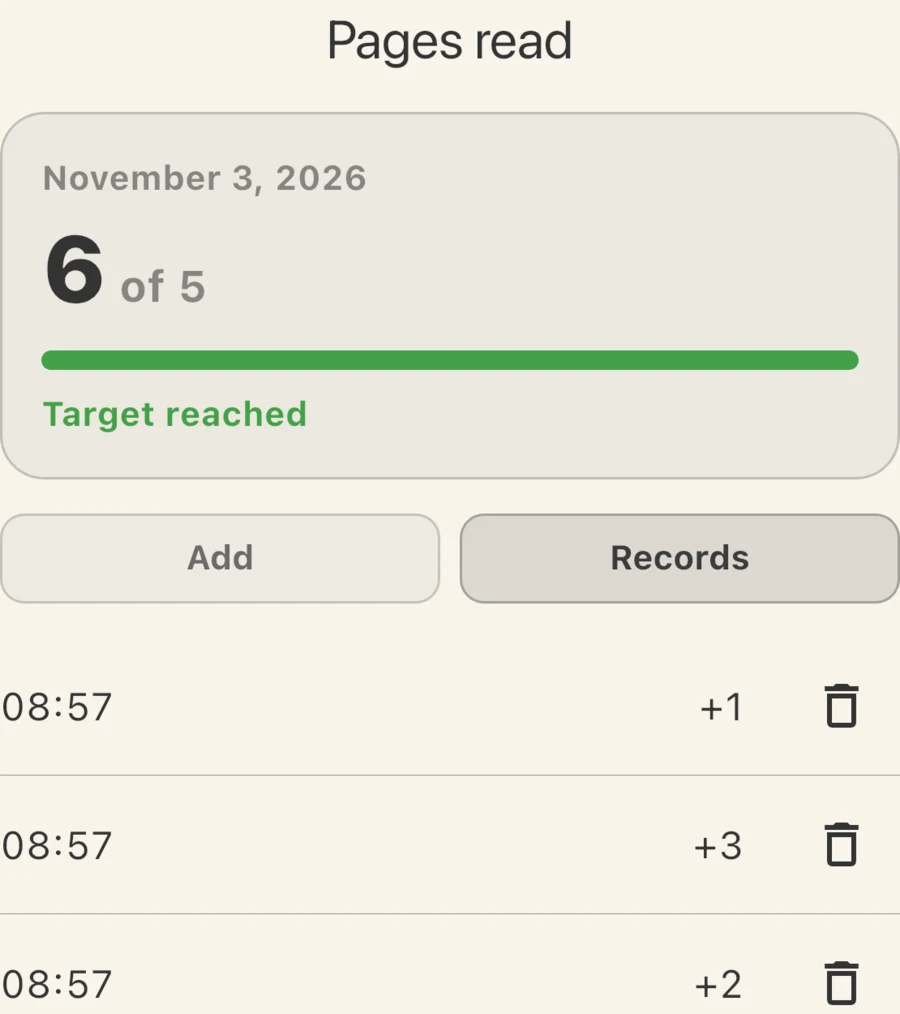
Check the individual entry before deleting it. Here the extra +1 is the mistake.
- Open the Records tab for that day.
- Find the accidental +1 entry.
- Tap its bin button, then confirm Delete.
The total returns to five. The two genuine sessions remain. You do not need to delete the habit, clear the day, or enter a negative amount.
If the entry belongs there but its amount is wrong, tap the entry itself to change the amount. Check the day’s total afterwards.
4. Read your history without confusing totals and targets
Open the habit, tap its menu button at the bottom left, and choose Stats. The selected year shows the total amount and the number of days recorded; the list below shows each recorded day’s amount.
Here is a separate example week with a five-page target:
| Day | Pages recorded | Daily target reached? |
|---|---|---|
| Wednesday | 3 | No |
| Thursday | No entry | Unknown |
| Friday | 5 | Yes |
| Saturday | 8 | Yes |
| Sunday | No entry | Unknown |
| Monday | 2 | No |
| Tuesday | 5 | Yes |
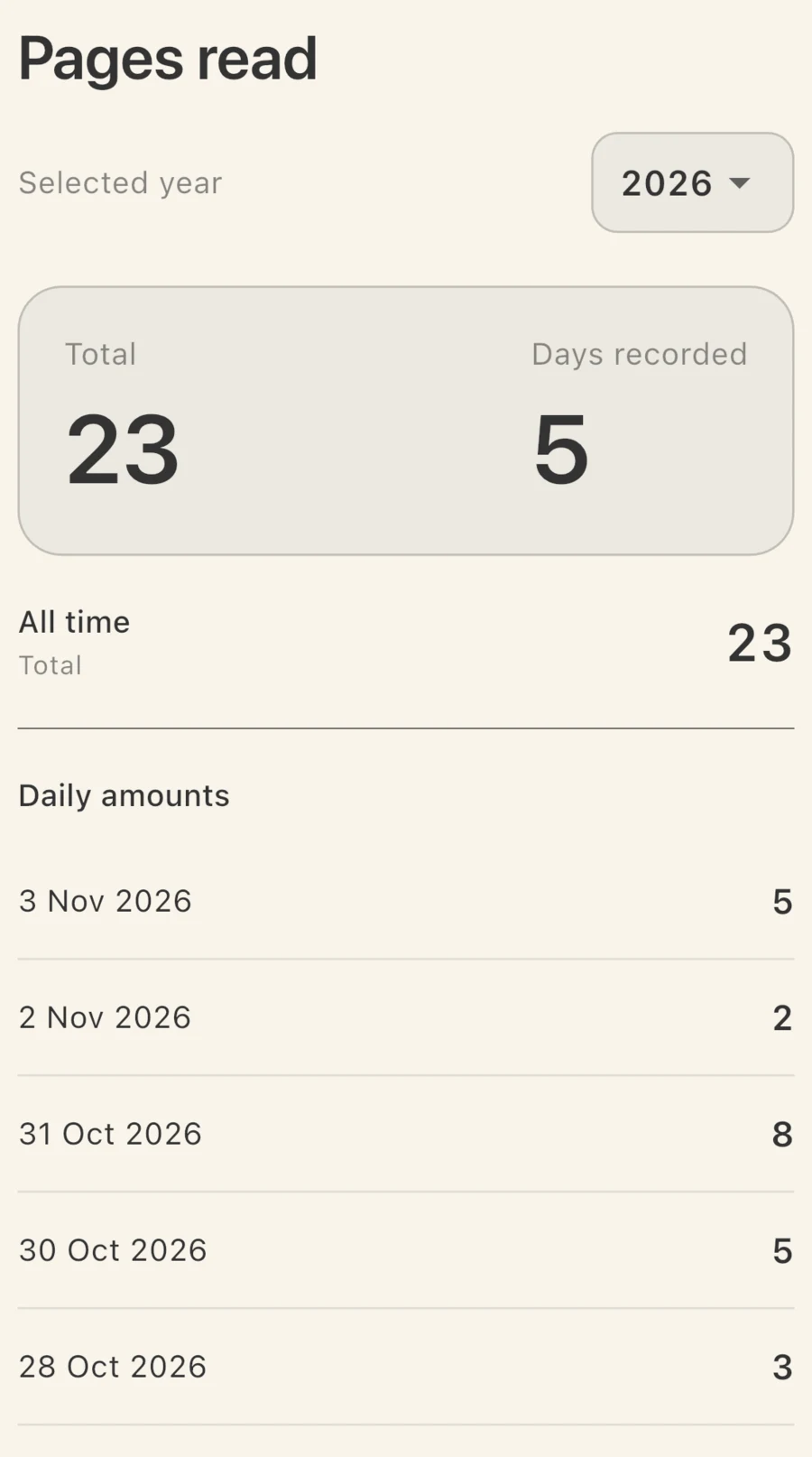
Demonstration history: 23 pages across five recorded days. Only three of those days reached the five-page target.
These numbers answer different questions:
- 23 pages: how much was recorded in total.
- 5 days recorded: how many dates have records in this example.
- 3 target days: how many of those dates reached at least five pages, counted from the daily amounts.
The two-page and three-page days still contribute to your reading. The two blank days tell you that nothing was recorded; they do not prove that you read nothing.
Use the history to choose one adjustment. If you kept reading but usually fell short, consider a smaller target. If you read but forgot to record it, keep the target and make recording easier. A higher target will not solve a recording problem.
Try it with one habit
Start with one amount you care about: pages read, minutes of practice, or repetitions. Give it a clear name, record what happened, and look back after several days before changing the rule.
Download HabitPress on the App Store.